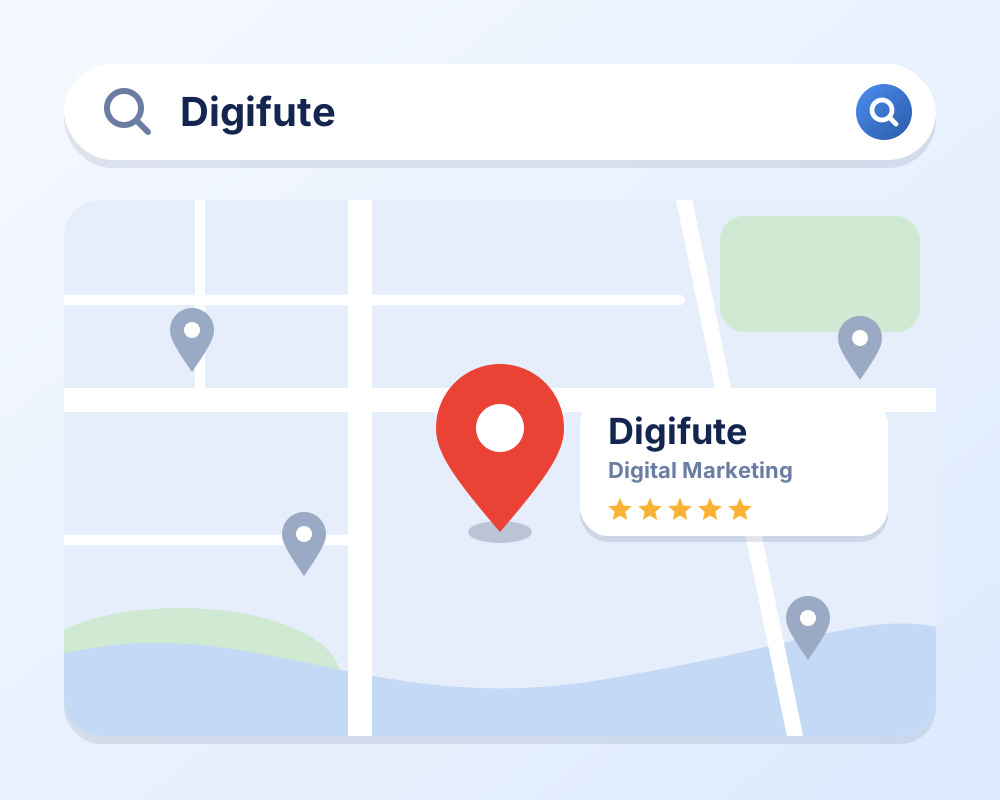
When someone searches for a salon, clinic, shop or service "near me", Google usually shows a map with a few businesses at the top. If your business is not there, those customers go to your competitors.
Getting listed is free, and the basic setup is simple. In this guide, we explain how to create a Google Business Profile step by step and how to get it verified. We also explain where most business owners get stuck, and when it makes sense to hand the job to an expert.
What Is a Google Business Profile?
A Google Business Profile (earlier called Google My Business or GMB) is a free listing that shows your business on Google Search and Google Maps.
It can show your:
- Business name and category
- Address and location on the map
- Phone number and website
- Opening hours
- Photos, services and products
- Customer reviews
People can call you, get directions, visit your website or message you directly from this listing.
Why Does Your Business Need One?
- Be found locally: Your business can appear when people search for what you offer in your area.
- Build trust: Photos, reviews and correct details make people more confident about choosing you.
- Get more calls and visits: Customers can call or get directions with one tap.
- It is free: There is no cost to create or manage a profile.
Before You Start
Keep these details ready:
- Your exact business name, as it appears on your signboard and in real life
- Your business category
- Your full address, or the areas you serve if you work from customers' locations
- A phone number and, if you have one, your website
- Your business hours
- A few clear photos of your shop, work or team
How to Create a Google Business Profile: Step by Step
Step 1: Sign in with a Google account
Use a Gmail or Google account that you control. It is best to use an account that belongs to the business, not a personal one that you may lose access to later.
Step 2: Search for your business
Search for "Google Business Profile" on Google, or search for your business name on Google Maps. If your business is already listed, you can claim it instead of creating a new one. If it is not listed, choose the option to add your business.
Step 3: Enter your business name
Use your real business name, exactly as customers know it. Do not add extra keywords or locations to the name, because this can lead to your profile being suspended.
Step 4: Choose your business category
Pick the category that best describes your main service, such as "Beauty salon", "Dental clinic" or "Marketing agency". The category is one of the most important parts of your profile, so choose it carefully.
Step 5: Add your location or service area
- If customers visit your shop or office, add your full address and place the pin correctly on the map.
- If you travel to customers, you can add the areas you serve and hide your address.
Step 6: Add contact details
Add your phone number and website. Use the same details that appear on your website and social media, so everything matches.
Step 7: Verify your business
Google needs to confirm that your business is real. Depending on your business, the options may include a phone call or text, an email, a video recording of your location, or a postcard sent to your address. The available options differ for each business, and verification can take from a few minutes to several days. Follow the steps shown on your screen.
Your profile does not become fully visible until it is verified, so do not skip this step.
Step 8: Complete your profile
After verification, fill in everything you can:
- Business description: Explain what you do and who you help. You get up to 750 characters, so write naturally and avoid keyword stuffing.
- Opening hours: Keep them accurate, including holidays.
- Services and products: List what you offer, with short descriptions.
- Photos: Add clear photos of your shop, work and team. Real photos work better than stock images.
- Logo and cover photo: These help people recognize your brand.
Basic Habits to Keep Your Profile Healthy
Once your profile is live, these simple habits help:
- Reply to every review, good or bad, politely and professionally
- Add new photos from time to time
- Keep your hours and details up to date
- Never offer money or gifts for reviews, and never post fake ones
Getting a profile live is the easy part. Getting it to show up above your competitors takes much more than this: the right categories, a strong review plan, local signals and regular updates. That is where an expert can save you months.
Common Mistakes to Avoid
- Adding keywords or extra words to the business name
- Using a wrong or incomplete address
- Creating duplicate profiles for the same business
- Choosing the wrong category
- Ignoring reviews and questions
- Never updating hours, photos or services
When Should You Get an Expert to Do It?
Many business owners can set up a basic profile on their own. But it makes sense to get professional help if:
- Verification keeps failing. Video and postcard verification can be rejected again and again if the details are not presented the way Google expects.
- Your profile was suspended. Suspensions are hard to fix without knowing what triggered them and how to appeal correctly.
- There is a duplicate or old listing that you cannot claim or remove.
- Your profile is live but not getting calls. This usually means that the setup, categories and local signals need work.
- You simply do not have the time. Running a business is already a full-time job.
A mistake in the first setup can be slow and frustrating to fix later, so getting it right from the beginning saves both time and trouble.
Frequently Asked Questions
Is it free to create a Google Business Profile?
Yes. Creating and managing a Google Business Profile is free. If you hire an expert, you only pay for their time and service.
Is Google Business Profile the same as Google My Business?
Yes. Google My Business (GMB) is the older name. People still search with both names, but the product is now called Google Business Profile.
Can I create a profile without a shop or office?
Yes, in many cases. If you serve customers at their location, you can set up a service-area business and hide your address. Google's rules can change, so check the latest guidelines for your business type.
How long does verification take?
It depends on the verification method Google offers for your business. It can be quick, or it can take several days.
Why is my Google Business Profile not showing on Google?
It could be unverified, suspended, incomplete or simply not optimized well enough. A profile audit can show what is holding it back.
Do I need a website to have a Google Business Profile?
No, a website is not compulsory. But having one helps customers learn more about you and builds more trust.
Want Us to Set It Up for You?
Setting up a profile takes time, and getting it to actually bring in calls and customers takes experience. At Digifute, we handle Google Business Profile creation, verification and optimization for local businesses in Fatehabad and beyond, so you can focus on running your business.
Not sure what is wrong with your profile? Message us on WhatsApp, and we will tell you what to fix. Contact us today.